Making of Ennea
I am excited to share the breakdown of "Ennea" which I did for TexturingXYZ with you.
Ive put the base mesh + some tools on https://gumroad.com/danielbauer
Check out the Link to see how I brought Ennea to life with the help of XYZ´s MultiChannel textures.
https://texturing.xyz/pages/daniel-bauer-making-of-ennea
The breakdown covers various topics with animated gifs to showcase the process.
I really hope you'll like it! A big Thank You to Jeremy Celeste and his team <3

The complete breakdown on : https://texturing.xyz/pages/daniel-bauer-making-of-ennea

you can apply texturingXYZ multichannel Displacement information in ZBrush via layers.

I used Mari to set up the most important channels for texturing Ennea. These will be fed into the shader later on.

If your PC slows down you can keep your ram free with layer caching.

You can use cross instancing to take advantage of XYZ textures on various channels, for example on gloss or spec maps in a couple of seconds.

TexturingXYZ´s albedo texture is a perfect foundation for your painting process. But no need to stop there, just add details on top.
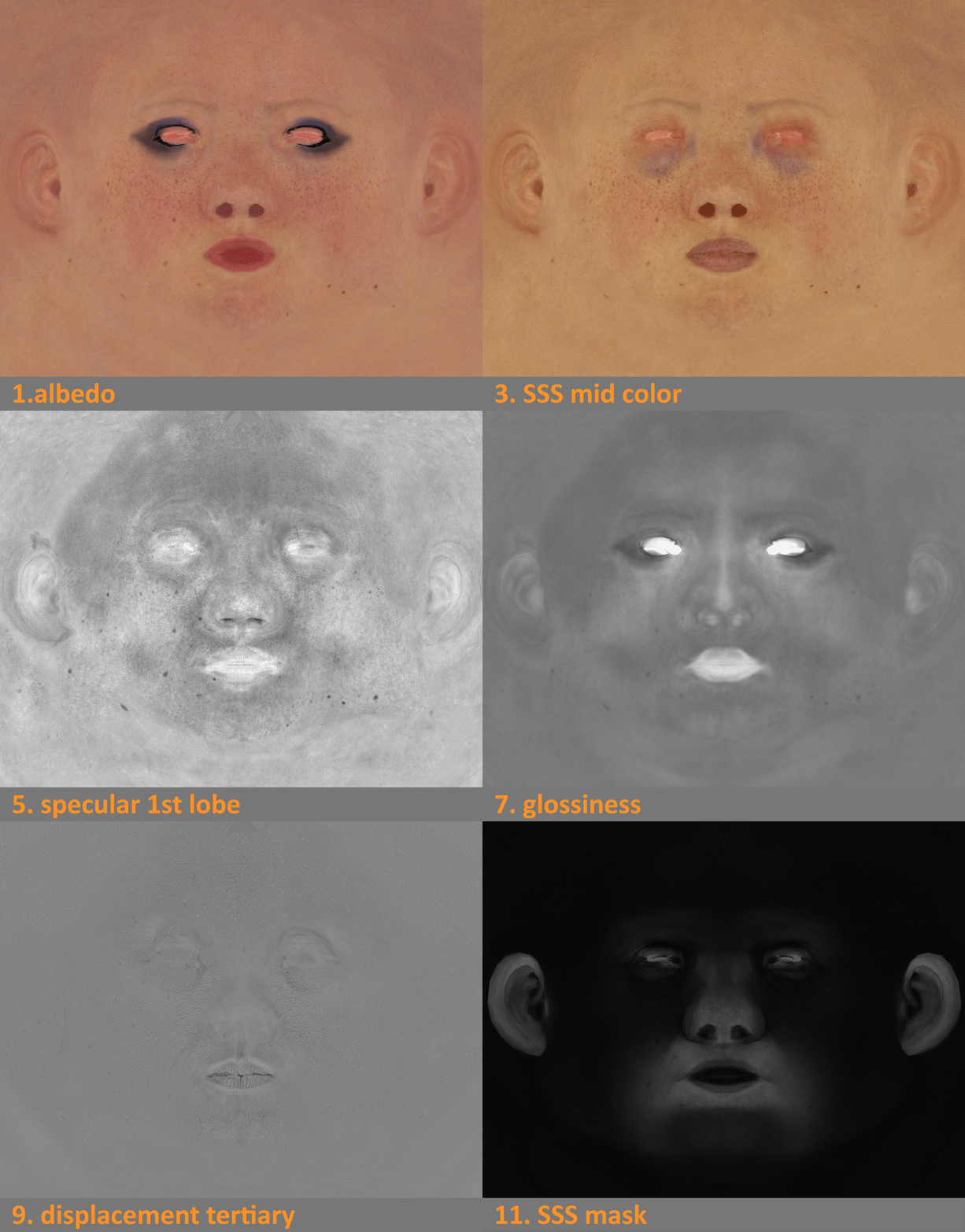
Showcasing the Mari textures before exporting them.

I used 3ds max and
VrayALsurfaceMtl to setup the skin shader.

If you want you can use TexturingXYZ´s displacements as a base and add TexturingXYZ MicroSkins to your ZBrush Displacement map.

comparing the effects of TexturingXYZ MicroSkins